Cosmic Graphs
Overview
One of the core philosophies of Thema is to embrace the variability inherent in unsupervised learning. Instead of forcing you to choose a single “best” set of hyperparameters (and thus a single graph representation), Thema generates a “multiverse” of graphs across a grid of parameters.
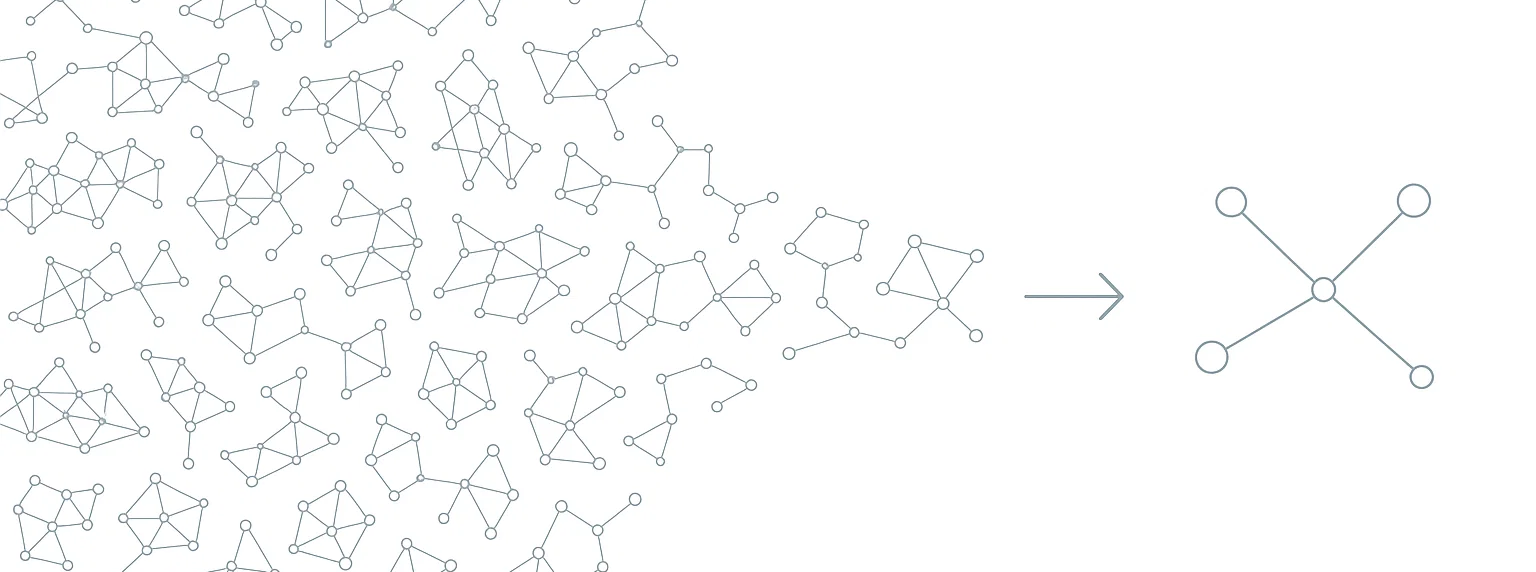
While this multiverse is powerful for finding robust clusters, interpreting hundreds of graphs can be daunting. The Cosmic Graph solves this by collapsing the entire multiverse into a single, unified graph structure to capture insights from the ensemble.
Note
Our framework uses Mapper graphs where nodes typically represent clusters of items. In the Cosmic Graph, nodes represent individual items (e.g., specific coal plants, documents, or data points).
How It Works
The Cosmic Graph is constructed by measuring how frequently models in the multiverse cluster elements together—whether they share the same node or belong to the same connected component in a Mapper graph. Our thesis is that when many models consistently group elements together, this represents a stronger, more robust connection across multiple scales.
This ensemble approach reduces our reliance on any single hyperparameter choice, which is particularly valuable given the sensitivity of Mapper graphs to parameter settings (see Any Graph is a Mapper Graph). By aggregating co-occurrence probabilities across models, we construct a Pseudo-Laplacian matrix that can be represented as a weighted graph and used in downstream graph analytics and clustering—with fewer parameters and better interpretability.
Here is a more detailed breakdown of the process:
Pseudo-Laplacian Computation: For each graph in the multiverse (a “Star”), we compute a matrix encoding item relationships. If two items appear in the same node (cluster) within a Star, we count this as a co-occurrence.
Aggregation: We sum these matrices across all Stars. Relationships that are stable—appearing consistently across many different parameter settings—accumulate high weights in the summed matrix.
Cosmic Graph Construction: The aggregated matrix is converted into a weighted graph:
Nodes: The original data items
Edges: Weighted connections representing the stability and strength of relationships across the multiverse
This approach filters out noise—relationships that only exist under specific, fragile parameter settings—while amplifying the signal from relationships that persist regardless of parameter choices.
Configuration
The Cosmic Graph is an opt-in feature. To enable it, you must add the cosmic_graph section to your params.yaml file under Galaxy. If this section is omitted, the Cosmic Graph will not be computed.
Galaxy:
  # ... other galaxy params ...
  cosmic_graph:
    enabled: true          # Required to enable
    neighborhood: "cc"     # "cc" (connected components) or "node"
    threshold: 0.0         # Minimum weight threshold for edges
Usage
The Cosmic Graph is automatically computed as the final step of the galaxy_genesis pipeline.
from thema import Thema

# Initialize and run the pipeline
t = Thema("params.yaml")
t.genesis()

# Access the Cosmic Graph
cosmic_graph = t.cosmicGraph

# It is a standard NetworkX graph
import networkx as nx
print(f"Nodes: {cosmic_graph.number_of_nodes()}")
print(f"Edges: {cosmic_graph.number_of_edges()}")
Visualization and Interoperability
Because the Cosmic Graph’s nodes correspond one-to-one with your original data items, it is significantly easier to interpret and visualize than abstract cluster-based graphs.
You can export this graph to tools like Gephi or Neo4j for exploration, or integrate it directly with other graph-based agents and analysis pipelines.
# Example: Export to GEXF for Gephi
nx.write_gexf(cosmic_graph, "cosmic_graph.gexf")

# Example: Inspect the strongest connections for a specific item
item_id = 0  # Replace with a valid item index
neighbors = sorted(cosmic_graph[item_id].items(), key=lambda x: x[1]['weight'], reverse=True)

print(f"Top connections for item {item_id}:")
for neighbor, data in neighbors[:5]:
    print(f"  -> Item {neighbor} (Weight: {data['weight']:.2f})")
API Reference
- Galaxy.compute_cosmicGraph(neighborhood='cc', threshold=0.0)[source]
Computes the cosmicGraph of the galaxy.
- Parameters:
neighborhood (str) – Options are specific to star. Please see docs for get_pseudoLaplacian for the star you are using. (e.g. jmapStar has neighborhood options of “cc” and “node” )
threshold (float, default=0.0) – Percentage of agreement amongst contributing model to constitute an edge.